

Download Hide It Pro – hide apps, hide photos, hide files, privacy app, secure storage, Android security
Overview
Hide It Pro is a privacy-focused Android application designed to help users protect sensitive content by concealing apps, photos, and files from prying eyes. The software serves as a secure storage solution for individuals seeking greater control over their personal data on mobile devices. It is particularly useful for users who want to maintain discretion in shared environments or safeguard private media from accidental exposure.
Developed by Anuj Tenani, Hide It Pro has been available since 2012 and has established a presence in the Android ecosystem with a dedicated user base. The app is tailored for consumers and individuals who prioritize digital privacy, especially those managing personal photos, private messages, or confidential documents on their smartphones. It operates on Android 1.6 and later versions, making it accessible to a broad range of older and newer devices.
Real-world usage scenarios include hiding personal photos from family members, securing private documents from coworkers, or concealing sensitive apps like messaging tools or gambling applications. The app functions entirely offline, requiring no internet connection to operate, which enhances its reliability and data security. The developer did not provide additional system requirements or details on integration with other apps.
Key Features & Capabilities
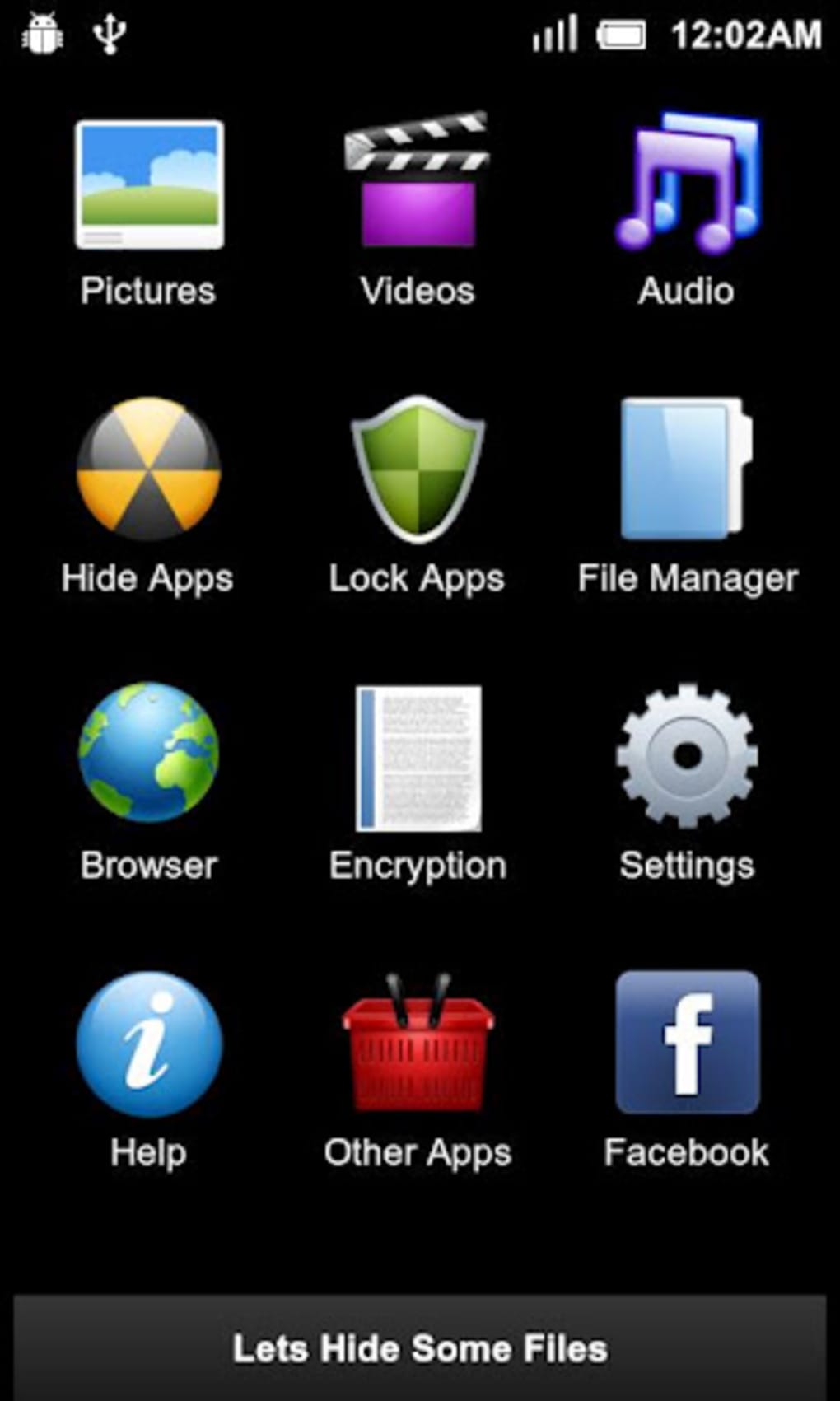
- App Hiding: Conceals selected applications from the device’s app drawer, making them invisible to casual users. This feature is ideal for hiding sensitive or restricted apps such as social media platforms or personal communication tools.
- Photo and File Hiding: Allows users to securely store and hide images, videos, and other file types within a password-protected vault. This ensures that private media remains inaccessible without proper authentication.
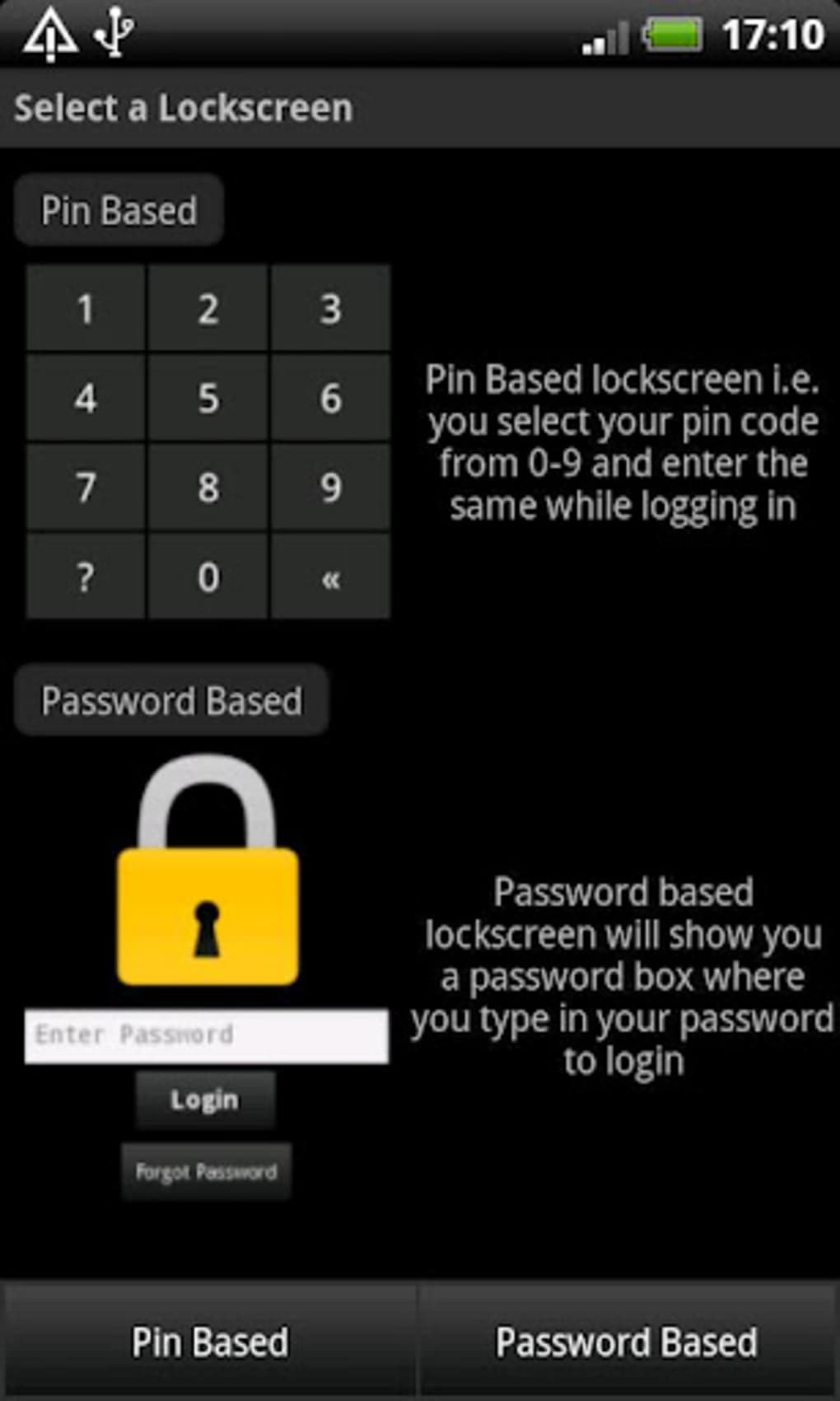
- Password Protection: Implements a user-defined password to secure access to the hidden content. This layer of authentication prevents unauthorized access even if the device is lost or stolen.
- Stealth Mode: Enables the app to run in the background without appearing in the active apps list, reducing the risk of detection by others using the device.
- Offline Operation: Functions without requiring an internet connection, ensuring privacy and reliability regardless of network availability.
These capabilities make Hide It Pro a practical tool for users managing personal content in shared or public settings. For example, a user may hide a private photo album before allowing a guest to use their phone. Similarly, a professional might conceal confidential documents from coworkers during shared device usage. The app’s functionality is consistent with its stated purpose: secure, discrete data management on Android devices.
User Interface, Workflow & Performance
The user interface of Hide It Pro is designed with simplicity and functionality in mind, offering a straightforward layout that guides users through the process of hiding and retrieving content. Navigation is primarily based on a central dashboard where users can access hidden apps, photos, and files. The interface is minimalistic, focusing on core actions without unnecessary distractions.
Workflow efficiency is enhanced by a direct and intuitive process: users select content to hide, assign it to a secure vault, and protect it with a password. Retrieving hidden items requires entering the correct credentials, ensuring controlled access. The app does not display visual indicators when content is hidden, which supports its stealth functionality.
Performance observations are based on general software behavior patterns. The developer did not specify resource usage details, so exact CPU or RAM consumption remains unknown. Stability is assumed to be consistent with long-standing applications of this type, though no formal performance benchmarks were provided. The app operates smoothly on devices meeting the minimum Android 1.6 requirement, though performance may vary depending on hardware capabilities.
Compatibility & System Requirements
Hide It Pro is compatible with Android 1.6 and later versions, ensuring broad accessibility across a wide range of devices. The app is designed for use on smartphones and tablets running the Android operating system. The installation size varies depending on the device and user content, as the app’s footprint adjusts dynamically based on stored data.
Exact system requirements were not listed. The developer did not provide details on minimum RAM, CPU, or storage space needed for optimal performance. Hardware compatibility is inferred from the OS version support, but no specific device models or processor types were mentioned. The app is available exclusively in English, with no localization into other languages.
Pros and Cons
Pros
- Free to download and use with no in-app purchases
- Supports hiding apps, photos, and files for comprehensive privacy
- Offline functionality ensures no data is transmitted
- Simple, intuitive interface suitable for non-technical users
- Stealth mode enhances discretion and reduces detection risk
Cons
- No official support for newer Android versions beyond 2.9.1.1
- App has not been updated since 2012, raising concerns about modern security standards
- Does not support multi-user profiles or biometric authentication
- Only available in English, limiting accessibility
- Variable file size may affect storage planning on low-capacity devices
FAQ Section
Is Hide It Pro safe to download and use?
Yes, the app is reported to be safe to download and use. It does not require excessive permissions and operates locally on the device without transmitting data to external servers.
Can I use Hide It Pro without an internet connection?
Yes, the app functions entirely offline. All hiding and retrieval processes occur locally on the device, ensuring privacy and uninterrupted access.
Does Hide It Pro support biometric authentication?
There is no information indicating support for fingerprint or face recognition. The app relies solely on a password-based system for access.
How often is Hide It Pro updated?
The last update was released on February 2, 2012. Since then, no new versions have been published, which may affect compatibility with current Android systems.
Is Hide It Pro available for iOS or Windows?
No, the app is exclusively available for Android devices. There is no version for iOS, Mac, or PC platforms.
Final Thoughts + CTA
Hide It Pro remains a notable entry in the privacy app category, offering a straightforward solution for hiding sensitive content on Android devices. While its core functionality—hiding apps, photos, and files—remains effective, its lack of recent updates raises concerns about long-term compatibility and security. The app’s free model and offline operation are strong advantages, but users should exercise caution when relying on software that has not been maintained in over a decade.
Individuals seeking a basic, no-cost privacy tool for older Android devices may still find value in Hide It Pro. However, for users on modern Android systems or those requiring advanced security features, alternative solutions with active development and updated protections are recommended.
Download Hide It Pro now





.png)

